

Risk Free NAV to Dynamics 365 Business Central Cloud Migration at Lower Cost
A NAV to Business Central cloud migration can fail long before the final cut-over weekend. The real risk often sits inside years of custom code, oversized databases, old reports, unused tables, and add-ons that nobody has checked for a while.
For many organisations, Microsoft Dynamics NAV has been dependable for years. It has supported finance, sales, purchase, inventory, manufacturing, services, and local compliance. Over time, it also becomes hard to change. Customisations grow. Data piles up. Third-party ISV solutions become tightly connected with daily work.
Moving to Dynamics 365 Business Central Cloud is the right direction, but the move must be planned with care. A low-cost migration does not mean cutting corners. It means avoiding rework, reducing downtime, cleaning what is no longer needed, and moving only what creates business value.

Why NAV to Business Central Cloud migration needs a risk-first plan
Dynamics NAV and Dynamics 365 Business Central share a common product history, but cloud migration is not just a version upgrade. It changes how the system is customised, maintained, secured, updated, integrated, and used.
In NAV, many businesses changed the base application directly. Partners often modified tables, pages, codeunits, reports, posting routines, and integrations. In Business Central Cloud, the preferred model is extension-based development using AL. Microsoft also updates the cloud platform regularly, so custom code must be easier to maintain.
That shift creates three common risk zones:
Data risk
Old, incorrect, duplicate, or unnecessary data can slow the migration and increase cost.
Customisation risk
Heavy changes in NAV can be difficult to move if they touch core posting, pricing, inventory costing, or compliance logic.
Dependency risk
Third-party ISV solutions, bank integrations, EDI tools, payroll connectors, barcode systems, and reporting tools may not work in the same way in the cloud.
A risk-free approach starts by identifying these issues early. The team should not wait until technical migration begins. Discovery, code assessment, data profiling, and solution mapping must happen before the project plan is locked.
The goal is simple: enter migration with fewer unknowns.
The biggest migration risks and how to control them
Every NAV system has its own story. Some databases are clean and lightly modified. Others have been upgraded several times since older NAV versions and carry many years of changes.
The risk areas below decide the cost, timeline, and success of most NAV to Dynamics 365 Business Central Cloud migration projects.
Massive database size can slow everything down
Large NAV databases are common. A business may have 10, 15, or 20 years of posted transactions, item ledger entries, value entries, G/L entries, archived documents, change logs, and integration records.
The issue is not only storage size. Large databases affect:
Migration test run duration
Validation time
Cloud upload and conversion effort
Backup and restore time
Performance testing
Cut-over planning
Cost of repeated trial migrations
A smart migration plan separates data into three categories.
Data type | Recommended action | Cost impact |
Master data | Clean and migrate | Reduces errors after go-live |
Open transactions | Validate and migrate | Protects business continuity |
Historical data | Archive, summarise, or selectively migrate | Reduces migration time and cloud complexity |
Not all old data needs to sit inside the live Business Central company. Historical data can be kept in a reporting database, data warehouse, secure archive, or read-only NAV environment. This reduces the load on Business Central and keeps users focused on current work.
For Indian companies, this decision should include statutory record retention, audit needs, GST records, and internal reporting requirements. The right answer is not “migrate everything”. The right answer is “migrate what the business needs to run and prove compliance”.
Heavily customised NAV databases need code rationalisation
A heavily customised NAV database is one of the main reasons migration cost increases. Customisations may exist because the business had unique processes, but many custom features become outdated over time.
Before moving custom code, ask three hard questions:
Is the customisation still used?
Does standard Business Central now cover this need?
Can the requirement be rebuilt as an extension instead of changing the base application?
This matters because Business Central Cloud does not support the same direct modifications that older NAV systems allowed. Custom logic should move into AL extensions, events, APIs, or Power Platform components where suitable.
High-risk custom areas include:
Posting routines
Inventory costing
Item tracking
Manufacturing planning
Approval workflows
GST and tax-related logic
Custom financial reports
Warehouse and barcode processes
Interfaces with external systems
If these areas are not assessed properly, the project may face late rework. A function that looked small during planning might touch multiple tables, reports, and posting processes.
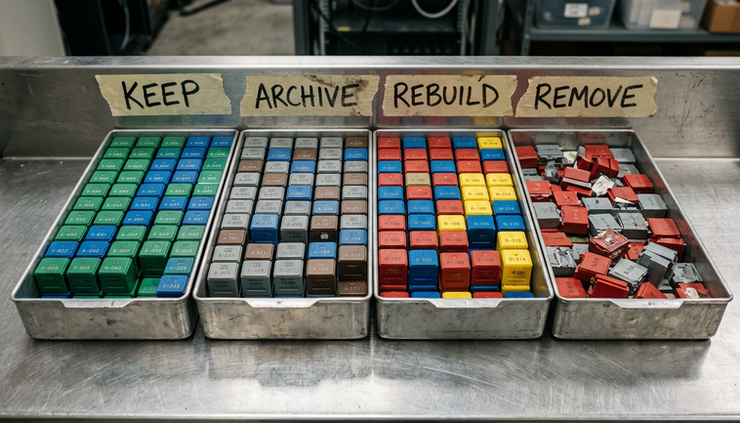
A lower-cost path is to separate customisations into four buckets.
Customisation bucket | Decision |
Replace with standard Business Central | Remove custom code and train users |
Replace with AppSource or ISV app | Use a maintained cloud-ready solution |
Rebuild as AL extension | Keep the requirement, but make it cloud-safe |
Retire completely | Remove features that no longer add value |
This step often saves more money than negotiating on project rates. Unneeded code is expensive to migrate, test, and support.
Third-party ISV solutions must be checked early
Many NAV environments depend on ISV add-ons. These may support payroll, retail POS, warehouse scanning, EDI, transport, bank payment files, fixed assets, quality control, document management, or advanced reporting.
The migration risk appears when an old NAV add-on has no Business Central Cloud version. In some cases, the vendor may offer a modern extension. In other cases, the add-on may be discontinued or available only for on-premises deployment.
This must be checked before project budgeting.
For every ISV solution, document:
Current version and vendor
Business process supported
Licence status
Availability for Business Central Cloud
Data migration path
Integration method
Replacement options
Testing responsibility
Ongoing support model
Do not assume that a third-party solution will migrate cleanly because it worked in NAV. Cloud readiness needs written confirmation from the vendor or implementation partner.
The same applies to integrations. File-based integrations, direct SQL connections, and old automation jobs often need redesign. Business Central Cloud works best with APIs, web services, Power Automate, Azure services, or connector-based tools.
A practical migration approach that reduces risk and cost
A safe migration is not a single technical event. It is a controlled series of assessments, decisions, rehearsals, and validations.
The approach below works well for complex NAV environments.
Start with a migration assessment
The first stage should create a clear view of the existing NAV system. This includes:
NAV version and localisation
Database size and company count
Custom objects and modified base objects
Reports and layouts
ISV add-ons
Integrations
User roles and permissions
Current pain points
Compliance needs
Current infrastructure cost
The assessment should produce a migration roadmap, not just a technical report. Business owners need to know what will move, what will change, what will be retired, and what needs budget.
Clean data before migration
Data cleanup is cheaper before migration than after go-live. Duplicate customers, inactive vendors, blocked items, old dimensions, unused G/L accounts, and invalid posting setups can create avoidable issues.
Good cleanup includes:
Closing old open entries where possible
Reviewing master data quality
Removing test or obsolete records
Archiving historical documents
Checking dimension consistency
Validating opening balances
Reviewing ageing reports and inventory valuation
The finance team, operations team, and implementation partner should agree on cut-off rules. For example, a business may decide to migrate only open documents and current-year detailed transactions, while keeping older transactions in an archive for audit and reporting.
Move custom code only after business review
Many businesses pay to migrate customisations that users no longer need. This happens when the technical team treats every custom object as mandatory.
A better method is to demonstrate current Business Central features to process owners first. Standard Business Central may already solve a requirement that needed custom code in NAV years ago.
Only after that review should the remaining customisations be redesigned.
This keeps the new system cleaner and easier to maintain.
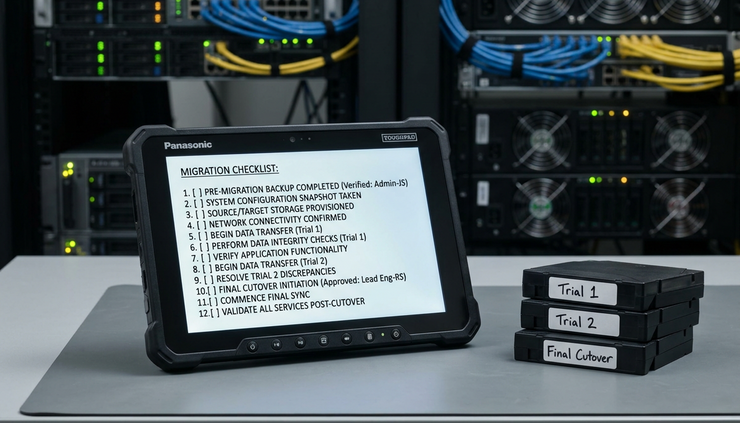
Run pilot migrations before final cut-over
A pilot migration reveals issues that planning documents cannot show. It tests the real data, real code, real integrations, and real processing time.
Run more than one trial if the database is large or highly customised. Each trial should answer clear questions:
How long does data migration take?
Which records fail validation?
Which custom extensions need correction?
Which reports do not match NAV output?
Which integrations need changes?
How long will the business be offline?
What steps must happen during cut-over weekend?
The final cut-over should feel familiar because the team has already rehearsed it.
How Business Central Cloud lowers long-term cost
The migration project has a one-time cost, but the better question is total cost over the next several years.
Older NAV systems often carry hidden costs:
Server maintenance
SQL Server administration
Backup management
Disaster recovery setup
Manual update work
Security patching
Ageing custom code support
Integration failures
Slow reporting workarounds
Business Central Cloud can reduce several of these costs because Microsoft manages the SaaS platform, infrastructure, updates, and availability model. The business still needs administration, user support, extensions, testing, and process ownership, but the burden changes.
Lower cost also comes from process improvement. When old customisations are removed and standard features are used, future updates become easier. Reporting can improve through built-in analysis, Excel integration, Power BI, and cleaner data models. Users can access the system through browser and mobile options without the same client installation effort used in older NAV environments.
For companies operating across India, cloud deployment also supports branch access more easily. Users in multiple locations can work on the same system without maintaining separate local infrastructure at each site, subject to connectivity and access policies.
The biggest savings come from avoiding unnecessary complexity. A clean Business Central environment costs less to support than a heavily modified system that repeats every old NAV decision.
A lower-cost migration checklist
A well-managed project balances speed, safety, and cost. Use this checklist before approving the migration plan.
Database and data
Measure database size and growth rate
Identify large tables and old transaction history
Decide what to migrate, archive, or summarise
Clean master data before trial migration
Validate balances and open entries
Customisations
List all modified and custom NAV objects
Confirm which features are still used
Map each customisation to standard Business Central, ISV app, extension, or retirement
Give extra review to posting, costing, GST, and inventory logic
Avoid rebuilding unused features
Third-party solutions
List all ISV add-ons and external tools
Confirm cloud-ready versions
Check licence changes
Plan data movement from add-ons
Assign testing ownership between vendor, partner, and business team
Integrations
Replace direct SQL access where required
Review file imports and exports
Plan API or connector-based integrations
Test bank, warehouse, e-commerce, payroll, and reporting flows
Document error handling and monitoring
Cut-over and users
Run at least one full trial migration
Prepare role-based user testing
Freeze changes before final migration
Train users on changed processes
Prepare a rollback and support plan
This checklist keeps the project practical. It also stops the migration from becoming a technical copy-paste exercise.
What risk-free really means in a NAV migration
No responsible partner should promise that a complex ERP migration has zero risk. A better promise is controlled risk.
Risk-free NAV to Dynamics 365 Business Central Cloud migration at lower cost means:
No surprise dependency discovered at the end
No unnecessary historical data moved into the live company
No blind migration of old custom code
No unsupported ISV add-on blocking go-live
No untested integration used in production
No cut-over plan based on guesswork
The project becomes safer when each risk has an owner, a decision, a test, and a fallback.
For example, a large inventory-heavy NAV database should have trial migration timings and valuation checks. A highly customised finance module should have before-and-after posting validation. A third-party warehouse solution should have a confirmed Business Central Cloud path before development starts.
That is how cost reduces. The team spends money on the right work and avoids late surprises.
The takeaway
A successful NAV to Business Central Cloud migration is not the fastest one. It is the one that protects business continuity, removes old complexity, and creates a system that is easier to support after go-live.
Massive database size, heavy NAV customisation, and third-party ISV solutions are not reasons to delay the move. They are reasons to plan the move properly.
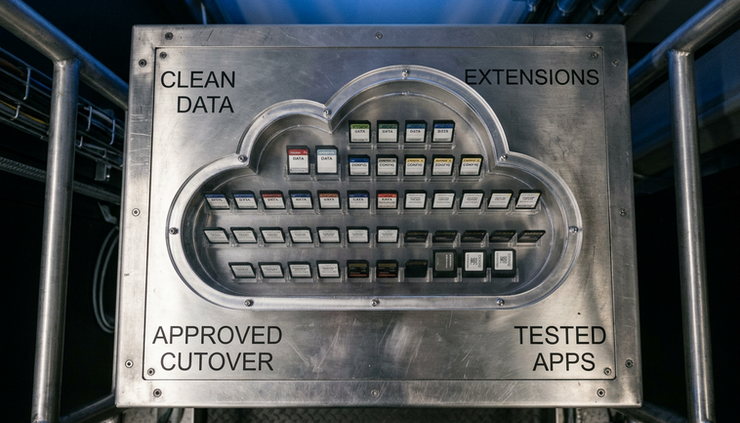
Start with assessment. Clean the data. Review every customisation. Confirm every ISV dependency. Run trial migrations. Validate reports, balances, integrations, and user processes before the final cut-over.
That is the practical path to Business Central Cloud with lower cost and far less risk.


Comments